Technology profile
Approachable smart-casual portrait with a quiet neutral background.
Approachable product designer at a modern technology company.
Create professional portraits with new attire, lighting and backgrounds. All editing steps and final files are included in the displayed credit price.
Improve your image results
Practical prompts, tips and next steps.
If the prompt isn't filled in, copy and paste it into your chat.
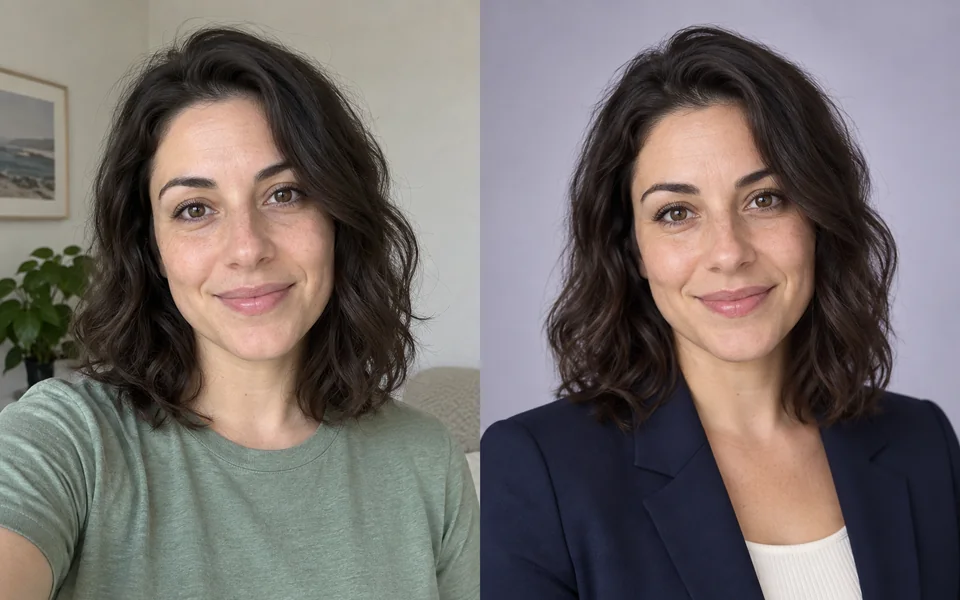 Your selfieStudio headshot
20 credits
fixed total · no per-step charges
Use one front-facing, evenly lit and unfiltered selfie. Avoid sunglasses and heavy motion blur.
Charged once when submitted. If any required stage fails, the full workflow charge is refunded automatically.
Your selfieStudio headshotApproachable smart-casual portrait with a quiet neutral background.
Approachable product designer at a modern technology company.
Formal attire, restrained studio light and both profile-safe crops.
Confident but natural executive portrait; no beauty-filter look.
Change attire and background
Generated to match the chosen style.
Studio lighting
Soft key plus rim light replaces the selfie top-light look.
Face enhancement
Runs conservatively after portrait generation to preserve identity.
Export both crops
1:1 for avatars, 4:5 for CVs.
Headshots usually fail by over-retouching until the person is gone. Here face enhancement runs last with conservative fidelity settings, and the pipeline exports both square and portrait crops automatically.
One — but its sharpness sets the ceiling on likeness.
Yes, state it in the prompt.