Skincare bottle
Hard-edge cutout, pure white backdrop and a restrained contact shadow.
Keep the printed label, cap material and bottle proportions unchanged.
Turn a product photo into a centered, white-background listing image. All editing steps and final files are included in the displayed credit price.
Improve your image results
Practical prompts, tips and next steps.
If the prompt isn't filled in, copy and paste it into your chat.
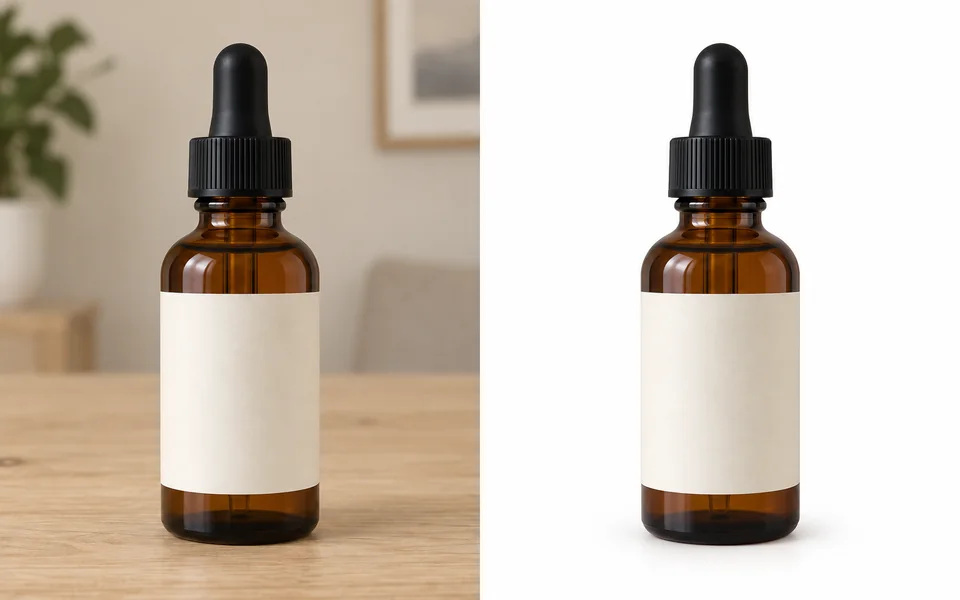 Product photoWhite background
11 credits
fixed total · no per-step charges
Use one sharp photo with the full product visible. PNG, JPG or WebP up to 8 MB.
Charged once when submitted. If any required stage fails, the full workflow charge is refunded automatically.
Product photoWhite backgroundHard-edge cutout, pure white backdrop and a restrained contact shadow.
Keep the printed label, cap material and bottle proportions unchanged.
Centered catalogue framing with enough white margin around the product.
Preserve every button, control marking and the original product colour.
Remove the background
Cut out the product and keep the alpha channel.
Pure white background
Composite onto RGB 255 white.
Natural contact shadow
A light shadow so the product does not float.
Center the product
Product fills about 85% of the frame with safe margins.
Export 2000×2000 JPG
Meets the marketplace size and format rules.
Marketplace main-image rules are rigid: pure white, strong product coverage, no watermarks and no borders. This workflow bakes those constraints into the defaults so all you supply is a photo. The pipeline is instructed to preserve the product, but every AI-edited result should still be checked against the physical item before listing.
The workflow explicitly preserves labels, colours and proportions, but AI editing can still drift. Compare the final image with the physical product before publishing.
Each run currently accepts one source product, so every result keeps a clear audit trail and fixed price.
The output spec lives in the workflow data. When rules change, this page is updated along with its verification date.