Scratched portrait
Repairs facial damage conservatively, then rebuilds printable detail.
Preserve the person’s expression, hairstyle and natural age exactly.
Repair scratches, restore faces and enlarge a treasured old photo. All editing steps and final files are included in the displayed credit price.
Improve your image results
Practical prompts, tips and next steps.
If the prompt isn't filled in, copy and paste it into your chat.
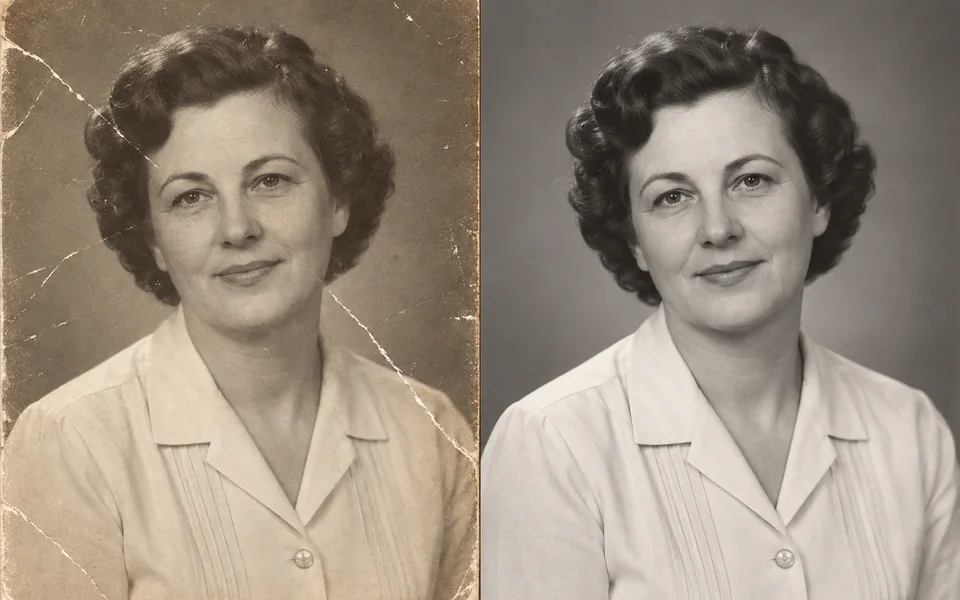 Damaged scanRestored photo
20 credits
fixed total · no per-step charges
A flat scan at 300 DPI or better gives the restoration models the most real detail to preserve.
Charged once when submitted. If any required stage fails, the full workflow charge is refunded automatically.
Damaged scanRestored photoRepairs facial damage conservatively, then rebuilds printable detail.
Preserve the person’s expression, hairstyle and natural age exactly.
A balanced repair with optional historically guided colour inference.
Muted 1950s colours; dark navy clothing and warm cream interior walls.
Upload a scan
Scanning beats photographing the print; 300 DPI or better.
Resize and export
A deterministic 2× resize produces the final printable file.
Order matters when restoring a photo: repair damage before restoring faces, or the face model treats scratches as facial detail and sharpens them. This workflow fixes that order for you.
No, they are plausible inference. State real colours in the prompt if you know them.
Raise Face Fidelity and rerun — under-repairing is the safer failure.