 Multimodal
Mistral Small 4
Everyday image tasks
Describe a photo, read visible text or turn an image into a reusable prompt.
- Input
- Image + Text
- Output
- Text answer
 Mistral AI
Turn words into a picture. Turn a picture into a description, a reusable prompt or a clear answer.
Improve your image results
Practical prompts, tips and next steps.
If the prompt isn't filled in, copy and paste it into your chat.
Image understanding from 1 credit · Image generation 10 credits
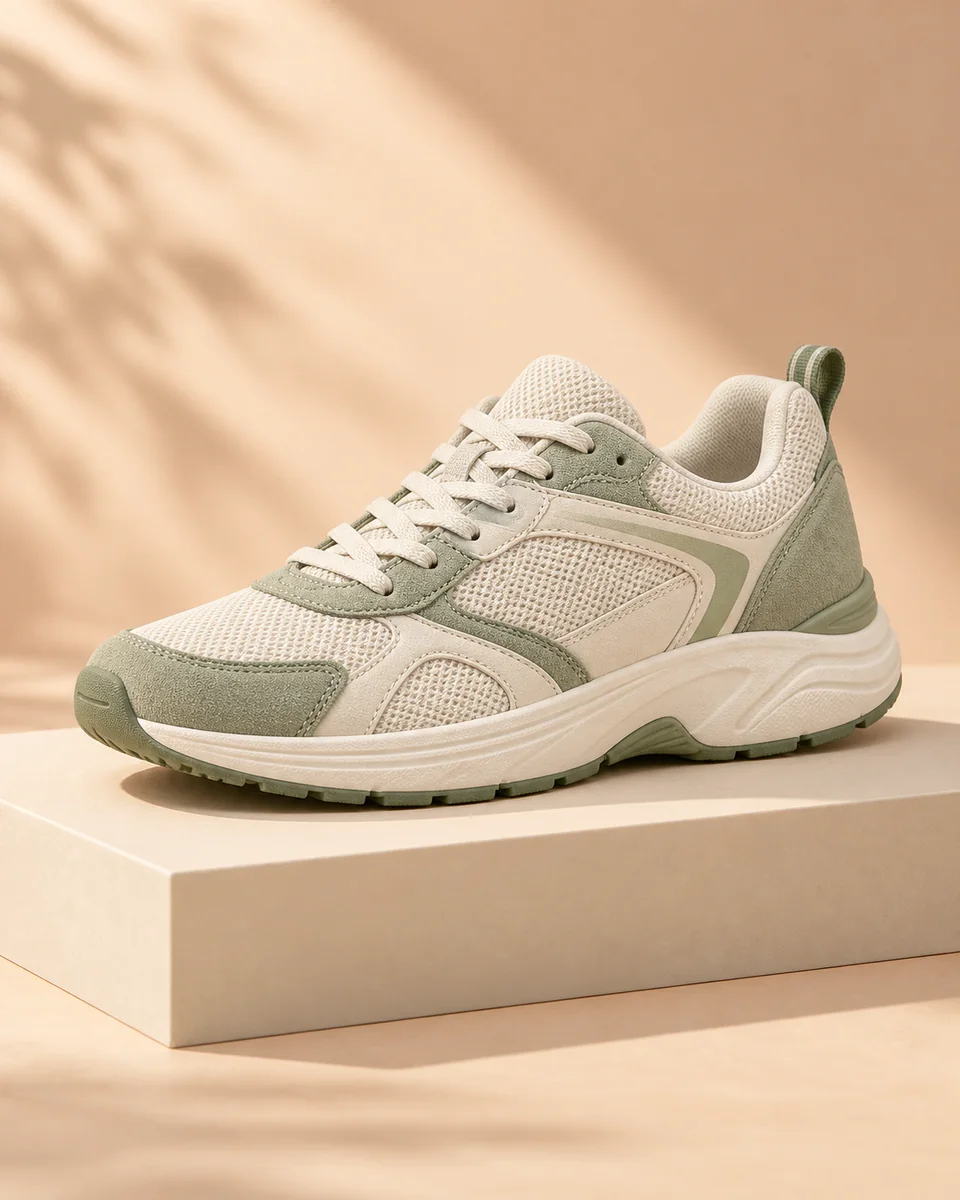
“Describe this product.”
A cream sneaker with sage-green panels, textured fabric and a chunky sole.
Example descriptionSmall 4 · Large 3 · Medium 3.5MultimodalChoose the result you need. Each tool starts with a photo or a written description.
Photo → DescriptionUnderstand a scene or write a product description from a photo.
Describe a photo Image → Prompt
Extract the subject, style and lighting into a prompt you can reuse.
Get an image prompt Picture → Readable text
Turn visible words on a poster or screenshot into copyable text.
Read image text Prompt → New image
Describe a scene to create a new illustration, artwork or photo.
Create an imageUpload an image for a text answer, or describe a new image to generate.
A cream sneaker with sage-green panels, a textured sole and tonal laces. The side view makes its shape and materials easy to see.
Select an example or upload a photo, then choose Analyze image to get your answer.
Large 3, Medium 3.5 and Small 4 see your image and answer in words.
MultimodalEveryday image tasks
Describe a photo, read visible text or turn an image into a reusable prompt.
 Multimodal
Detailed visual descriptions
Ask about a scene, explain a diagram or identify details in a product photo.
 Multimodal
Visual questions & instructions
Combine a picture with detailed instructions for explanations, copy and analysis.
Text prompt → Image file. Uses Mistral’s hosted image-generation tool, powered by Black Forest Labs.
See the cost before you submit. Use your existing All Image AI credits for both image understanding and image generation.
View credit plans →| Model or tool | You receive | Credits |
|---|---|---|
| Mistral Small 4 | 1 text answer | 1 |
| Mistral Large 3 | 1 text answer | 1 |
| Mistral Medium 3.5 | 1 text answer | 3 |
| Mistral Image Generation | 1 image | 10 |
One uploaded image per analysis. Failed requests are refunded. Each new question is a new request.
These multimodal models accept images and text and return text answers. Use them to describe photos, read visible text, write image prompts or answer visual questions. To create a picture, choose Mistral Image Generation, which uses Mistral’s hosted image-generation tool.
Multimodal means that the model can understand more than one kind of input. Here, you can combine a picture with a written instruction. The result from Small 4, Large 3 or Medium 3.5 is text, so your original photo stays unchanged.
One image-understanding request costs 1 credit with Small 4, 1 credit with Large 3 or 3 credits with Medium 3.5. Mistral Image Generation costs 10 credits for one image. Credits are reserved when you submit and returned if the request fails. A new question or a new generation is a separate request.
Upload one PNG, JPG or WebP up to 12 MB. Your browser converts it to a still JPEG and resizes its longest edge to 1024 pixels before sending it. Each analysis returns one answer of up to 2,048 output tokens. For small text, crop to the relevant area first. Check transcriptions against your original image.
This feature calls the image_generation tool hosted by Mistral. Mistral describes its image generation as powered by Black Forest Labs. The tool’s underlying image model is managed by Mistral; this page does not promise a selectable FLUX version, resolution or image editing.
Your results are private to your signed-in account and appear in History. Free account results are retained for 7 days; Pro results for 365 days. Input images are saved with each run so you can review or reuse them. Deleting a run removes its saved inputs and results. Mistral processes the image and prompt to answer your request; its processing terms also apply.